







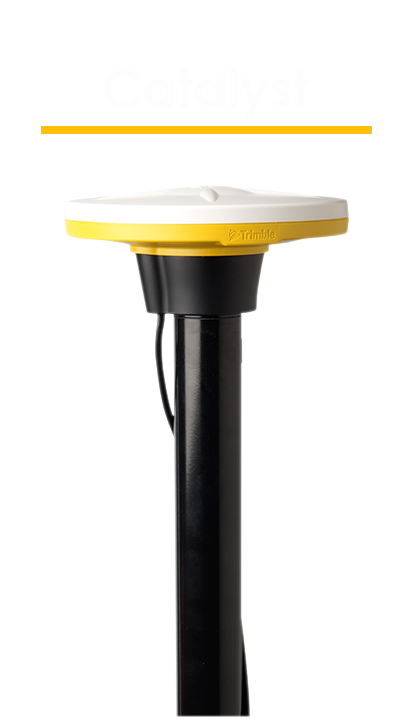

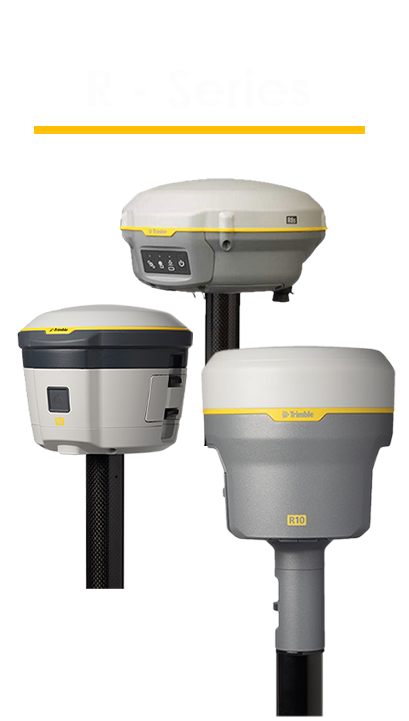


PointMan supports a variety of external GPS devices via Bluetooth to receive higher levels of accuracy: Trimble R1, R2, R8, R8-2, R8-3, R8s, R10, R10-2, R12, R12i, and R12 Lite, SPS985, SPS986, Catalyst DA-1, BlueStar, Emlid Reach, EOS Arrow, and the Juniper Geode.
PointMan תומך בתיקונים מסוג VRS, RTVRN, Base/Rover ו-Catalyst מבוסס לוויין, ומאפשר לך גישה לפתרונות מיקום RTK. Trimble Catalyst מספק תיקונים במצב לא מקוון בשטח, עם גישה לשירותי מיקום RTX.
תכונת ה-Stakeout של PointMan תנחה את המשתמשים אל המיקום המדויק של הנקודה או הקו שנבחרו במפה. עבור סימון קווים, קיימים שני מצבים: "הקרוב ביותר" ו-"תחנה". מצב "הקרוב ביותר" יוביל את המשתמשים לצומת הקרובה ביותר של הקו שנבחר, ואילו מצב "תחנה" יקבע נקודה במרחק (שנכנס על ידי המשתמש) מנקודת ההתחלה שנבחרה. תכונת ה-Stakeout כוללת גם את ערכי ה-Cut/Fill המשמשים לסקרי עומק כיסוי.
משתמשים יכולים לבחור מערכת ייחוס קואורדינטות (CRS) לשמירת נתונים שניתן לייצא עם שתי מערכות הקואורדינטות (הייצוג המתייחס ו-WGS84), אשר יתיישרו בתוכנות GIS אחרות. PointMan תומך בייצוגים מקומיים מותאמים אישית (.prj), ב-ITRF2014 (כל התקופות) ובכל שאר הייצוגים והמערכות הייחוס הסטנדרטיים.
PointMan יכול להמיר מדידות גובה שחושבו באמצעות GPS לארבעה מודלים גיאואידים נתמכים: EGM96, 12A, 12B ו-Geoid18, ולהתאים אותם כראוי לנתוני פרויקטים, תכונות וקווי עבודה אחרים ברמת מדידה.
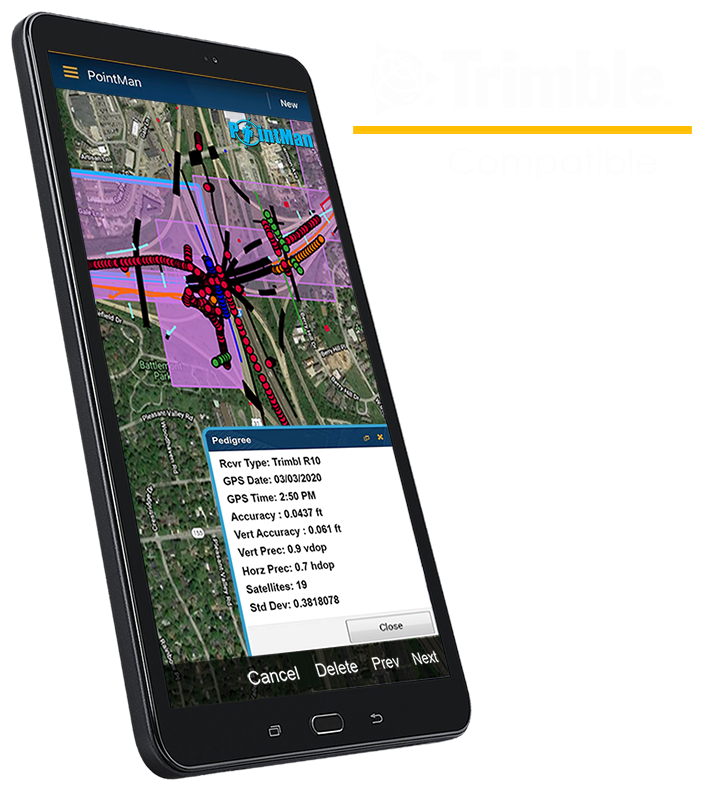
PointMan’s patented “Precision & Pedigree” technology stores attributes on each feature automatically that include the username of the user who created the feature, the date and time of when the feature was created, as well as the GPS coordinates of the feature and the depth, where applicable.
בנוסף למידע על המשתמש ולמיקומו, לוח הנתונים/הפרטים מציג גם את מקלט ה-GPS, את מכשיר איתור התשתיות, את ה-CRS, את מודל הגיאואיד, את קודי התשתיות, את סוג התיקון (Fix Type), את גרסת PointMan, את דגם המכשיר הנייד, את מידע ה-as-built ואת גובה האנטנה – אם נעשה בהם שימוש בתהליך איסוף הנתונים – וכן את כל רמות הדיוק, הגבהים, ההערות, התמונות/השרטוטים והטפסים/קובצי ה-PDF הקשורים.
PointMan מאפשר למשתמשים ליצור ולהציג קבצי PDF בשטח. הדבר תורם להגברת האחריותיות ולהפחתת החשיפה לתביעות, שכן אנשי השטח יכולים לעיין בקלות במסמכים הדרושים מתוך האפליקציה בכל מקום.
PointMan מאפשרת למשתמשים ליצור ולהציג טפסים בזמן שהם בשטח. הדבר תורם להגברת האחריותיות ולהפחתת החשיפה לתביעות, שכן אנשי השטח יכולים לעיין בקלות במסמכים הדרושים מתוך האפליקציה, מכל מקום שהוא.
כדי לסייע בשיפור התיעוד והאמינות של הנתונים שנאספו, המשתמשים יכולים לצרף תמונות/שרטוטים שצולמו בשטח, וכן טפסי איתור הכוללים את פרטי כרטיס ה-One Call הרלוונטי, הדרישות והשיטות ששימשו.
To help improve the reliability of existing sub-surface utility information, users can include as-built information, PointMan documents Quality Level and Antenna Height.
Users can pause line collection to collect points, lines, or polygons that are separate from the line-work and add attributes, comments, and symbols to the line vertexes without having to end the line first. This process significantly saves time, effort, and money as it allows you to collect everything in one pass.
צלמו תמונות הקשורות לפרויקט או לפרויקטים ישירות מהמכשיר הנייד. תוכלו גם ליצור סקיצות של המפה והנתונים ואף לצרף אותן כקובצי PDF. PointMan מאפשר לכם לסמן פריטים מעניינים בתמונות ולהוסיף להם הערות. ניתן לייצא את הקבצים כתמונות או כקובצי PDF.
במקרה שיש צורך לוותר על קטע מקו שנאסף, המשתמשים יכולים לפצל את הקו לשניים ולהסיר את הנקודות הקשורות אליו בבת אחת, במקום למחוק אותן אחת אחת. אם יש צורך לאחד שני קווים לקו אחד, המשתמשים יכולים לעשות זאת באמצעות תכונת האיחוד.
תכונת 'נעילת תכונה' מאפשרת למשתמשים לאסוף בבת אחת כמה נקודות נתונים שהם רוצים מאותה תכונה, ובכך משפרת את היעילות בכך שהיא מבטלת את הצורך לבחור מחדש את התכונה מדי פעם בתיבת הדו-שיח 'סימן מיקום חדש'.
משתמשים יכולים לשייך תמונה, קובץ או אובייקט לאובייקט אחר. לדוגמה, ניתן לשייך שסתום לתמונה שצולמה בשטח. הדבר מאפשר שיפור תהליכי התיעוד ונוחות השימוש ב-PointMan.
PointMan מאפשר לייצא נתונים למספר פורמטים שונים של קבצים, כגון KML, KMZ, CSV, shapefile, PDF, תמונה ו-GDB, באמצעות דואר אלקטרוני. סוגי קבצים אלה תואמים לתוכנות מיפוי GIS אחרות, כגון Google Earth ו-ArcGIS.
PointMan allows pre-existing data to be imported as a KMZ file with a limit of 20 MB, which will appear as a layer inside of your project(s).
PointMan מגיע עם מילון נתונים ברירת מחדל של מאפייני התשתית התת-קרקעיים הנפוצים ביותר. משתמשים המחפשים רכיבים שאינם מופיעים במילון ברירת המחדל יכולים ליצור רכיבים חדשים עם שמות ותכונות מותאמים אישית.
במילון הנתונים, המשתמשים יכולים לערוך רכיבים קיימים או ליצור רכיבים חדשים כדי לכלול תכונות כגון ערך מספרי או טקסטואלי, התאריך ו/או השעה הנוכחיים, והמשתמש הנוכחי, והכל תוך שימוש ביכולת תיוג מותאמת אישית.
משתמשים יכולים לבחור לייצא פרויקט שלם או תכונה בודדת/קבוצת תכונות, כולל אילן היוחסין, התכונות, התמונות וקבצי ה-PDF הנלווים, לאחד מהפורמטים הנתמכים הבאים: KML, KMZ, Shapefiles, CSV ו-GDB, באמצעות דואר אלקטרוני. סוגי קבצים אלה תואמים לתוכנות מיפוי GIS אחרות, כגון Google Earth ו-ArcGIS, ומאפשרים לכם לשתף את הנתונים שלכם בקלות עם אחרים ולהציג אותם בסביבות חיצוניות.


New Implementation: Leica GG04 plus and FLX100 plus For more information on the Leica products, visit their website using the links below: FLX100 plus –...